💡 What This Example Demonstrates
This example shows how to create Call-to-Action buttons that open your Landbot with specific pre-defined questions. Each button sends a different query, perfect for guiding users to specific conversation flows.
🎯 Try These CTA Buttons
Click any button below to see how it opens the bot with a specific question
🔧 How It Works
Each button has an onclick handler that triggers a specific query
<!-- CTA Buttons with onclick handlers -->
<button onclick="askPricing()">
    💰 Ask About Pricing
</button>

<button onclick="askShipping()">
    🚚 Shipping Information
</button>

<button onclick="requestDemo()">
    🎯 Request a Demo
</button>
💡 Why This Works
Each button calls a different JavaScript function. Inside each function, we define what question to send to the bot. This lets you create contextual help buttons throughout your site.
Create a function for each button that sends a specific query
// Function for pricing button
function askPricing() {
    sendQueryToChatbot('What are your cheese prices and available varieties?');
}

// Function for shipping button
function askShipping() {
    sendQueryToChatbot('How do you ship cheese and what are the delivery times?');
}

// Function for demo request button
function requestDemo() {
    sendQueryToChatbot('I would like to request a cheese tasting demo');
}

// Function for support button
function askSupport() {
    sendQueryToChatbot('I need help with my cheese order');
}
⭐ Key Insight
Each function calls sendQueryToChatbot() with a different pre-written question. You
control exactly what the bot receives, making conversations predictable and targeted.
The same function from Example 1, but now called with different messages
function sendQueryToChatbot(query) {
    // Wait for bot to be ready
    waitForLandbot(function() {
        // ⭐ Send the pre-defined message to bot
        myLandbot.sendMessage({
            type: 'text',
            message: query  // Pre-written question
        });

        // Open the bot after 500ms
        setTimeout(function() {
            myLandbot.open();
        }, 500);
    });
}
Same initialization as Example 1
var myLandbot;

function initLandbot() {
    var s = document.createElement('script');
    s.type = "module";
    s.async = true;
    s.addEventListener('load', function() {
        setTimeout(function() {
            myLandbot = new Landbot.Popup({
                configUrl: 'YOUR-BOT-CONFIG-URL'
            });
        }, 500);
    });
    s.src = 'https://cdn.landbot.io/landbot-3/landbot-3.0.0.mjs';
    document.body.appendChild(s);
}

// Initialize on page load
document.addEventListener('DOMContentLoaded', function() {
    initLandbot();
});
📝 Summary: What Happens
- User clicks a CTA button (e.g., "Ask About Pricing")
- Button's onclick function is triggered
- Function calls
sendQueryToChatbot('What are your pricing plans?') myLandbot.sendMessage()sends the question to botmyLandbot.open()opens the chat window- Bot receives the question and responds
💼 Real-World Use Cases
- Pricing Page: "Compare Plans" button → Opens bot to discuss pricing
- Product Page: "Ask About This Product" → Bot knows product context
- Features Section: "Learn More" buttons for each feature
- Contact Page: Different buttons for Sales, Support, Billing
- Checkout Page: "Need Help?" → Opens bot with checkout assistance
- FAQ Section: Each question as a CTA that opens detailed bot response
🎨 Design Tips
- Use Clear Labels: Button text should match the question sent
- Add Icons: Visual cues help users understand the action
- Strategic Placement: Put buttons where users need help most
- Consistent Style: Match your site's design language
- Mobile Friendly: Ensure buttons are easy to tap on mobile
⚙️ Bot Configuration
Your Landbot needs to be configured to handle the pre-set questions sent from your CTA buttons. The AI Agent will receive these questions and respond accordingly.
📸 AI Agent Setup
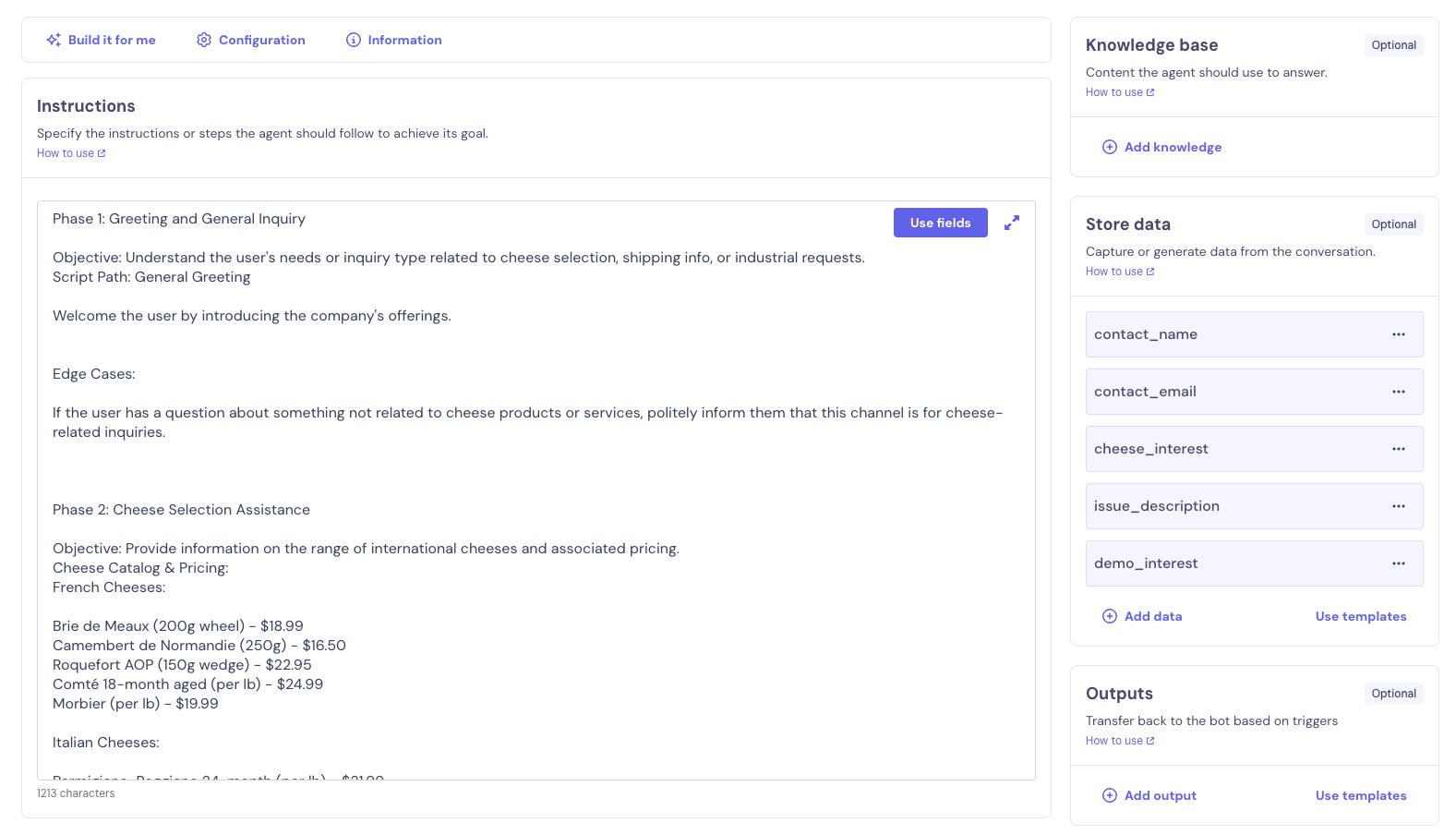
Screenshot showing the AI Agent configuration that receives and processes pre-set questions from CTA buttons
🔄 Complete Bot Flow
Here's an overview of the complete bot flow showing how the AI Agent handles different types of questions from your CTA buttons.
📸 Bot Flow Overview
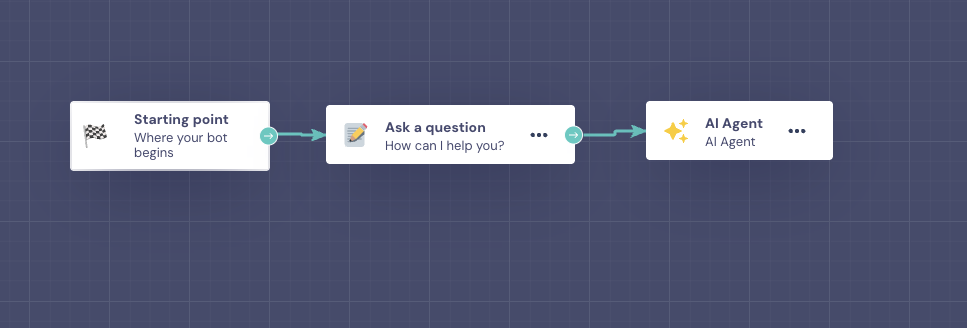
Screenshot showing the bot flow that processes different questions (pricing, shipping, demo requests, support)
💡 Advanced Tip: You can configure your Landbot to recognize specific questions and route users to different conversation flows or provide specialized responses based on the button clicked.